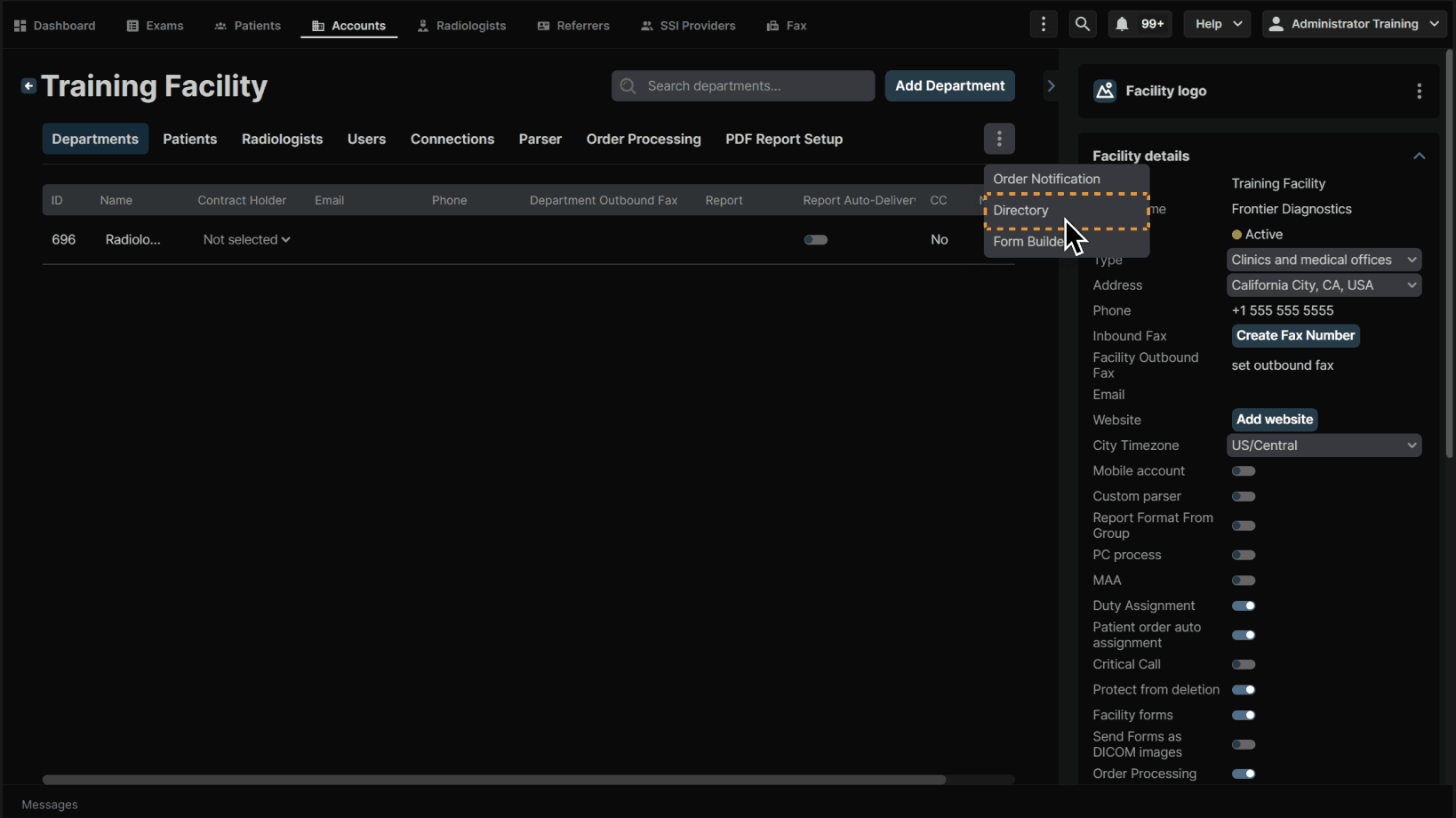
Click "Directory" once within a facility account. | |
|---|---|
|
|
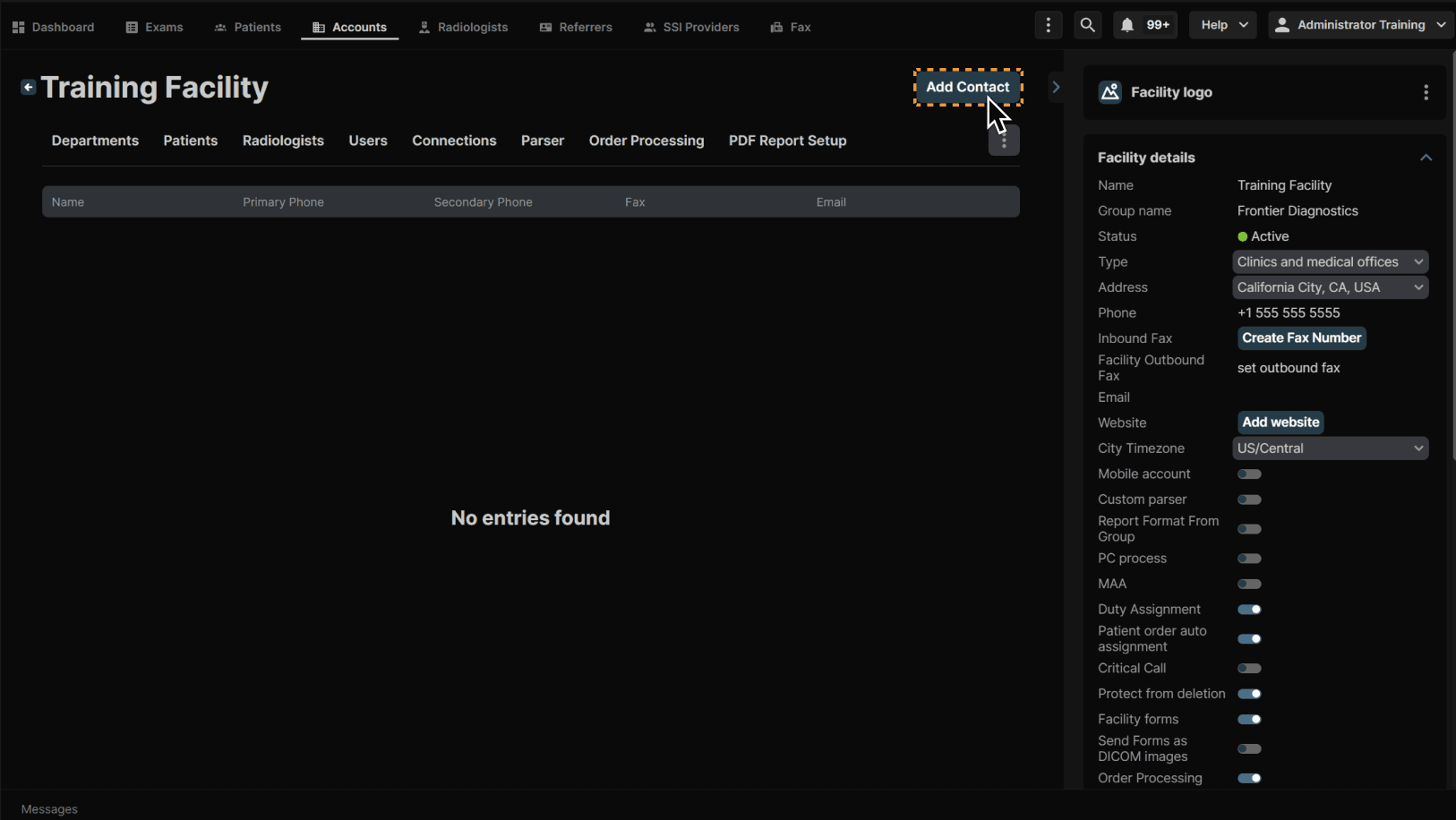
Click "Add Contact." | |
|---|---|
|
|
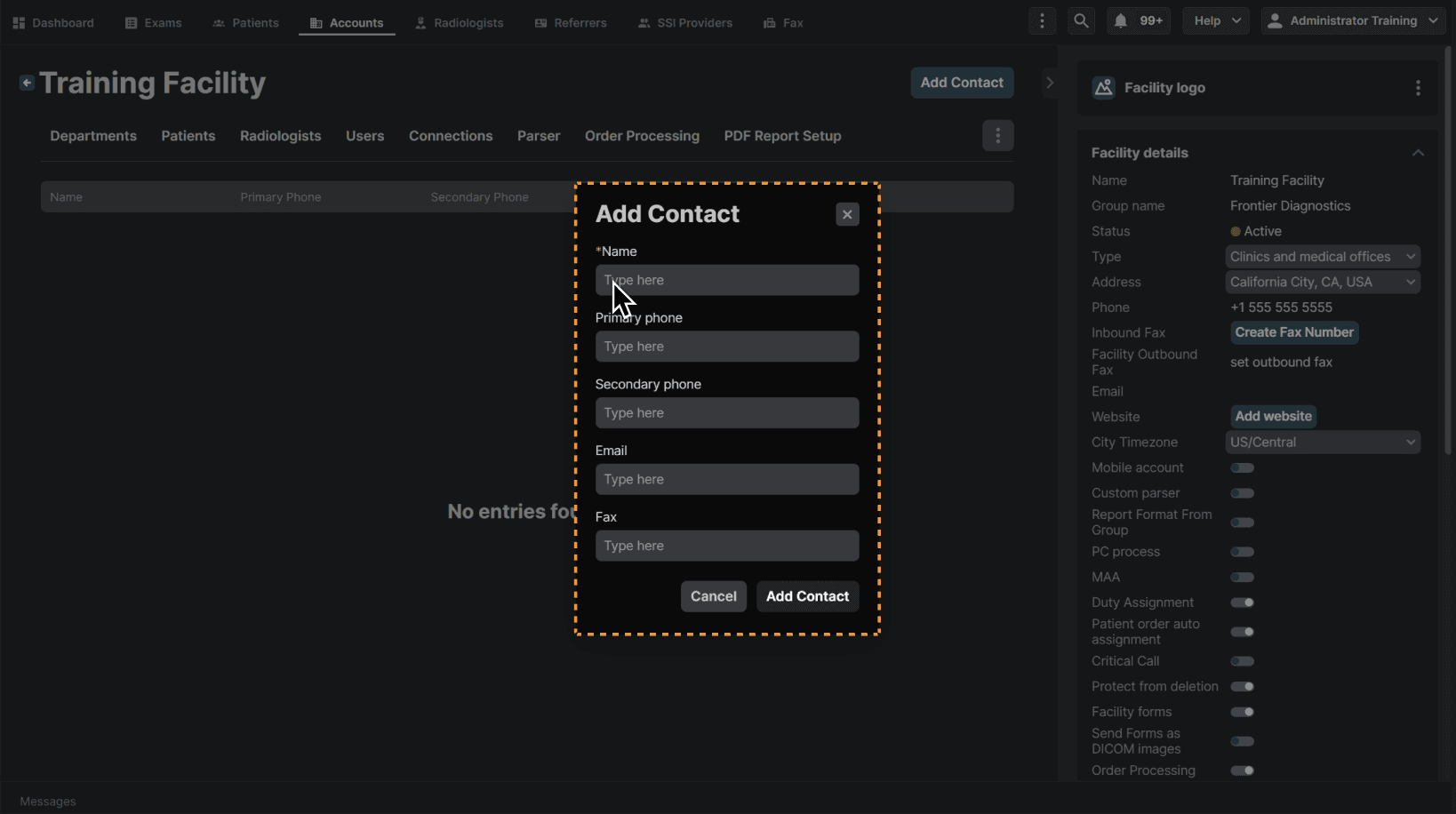
Enter the contact name along with other applicable contact information. Click “Add Contact” when complete. | |
|---|---|
|
|
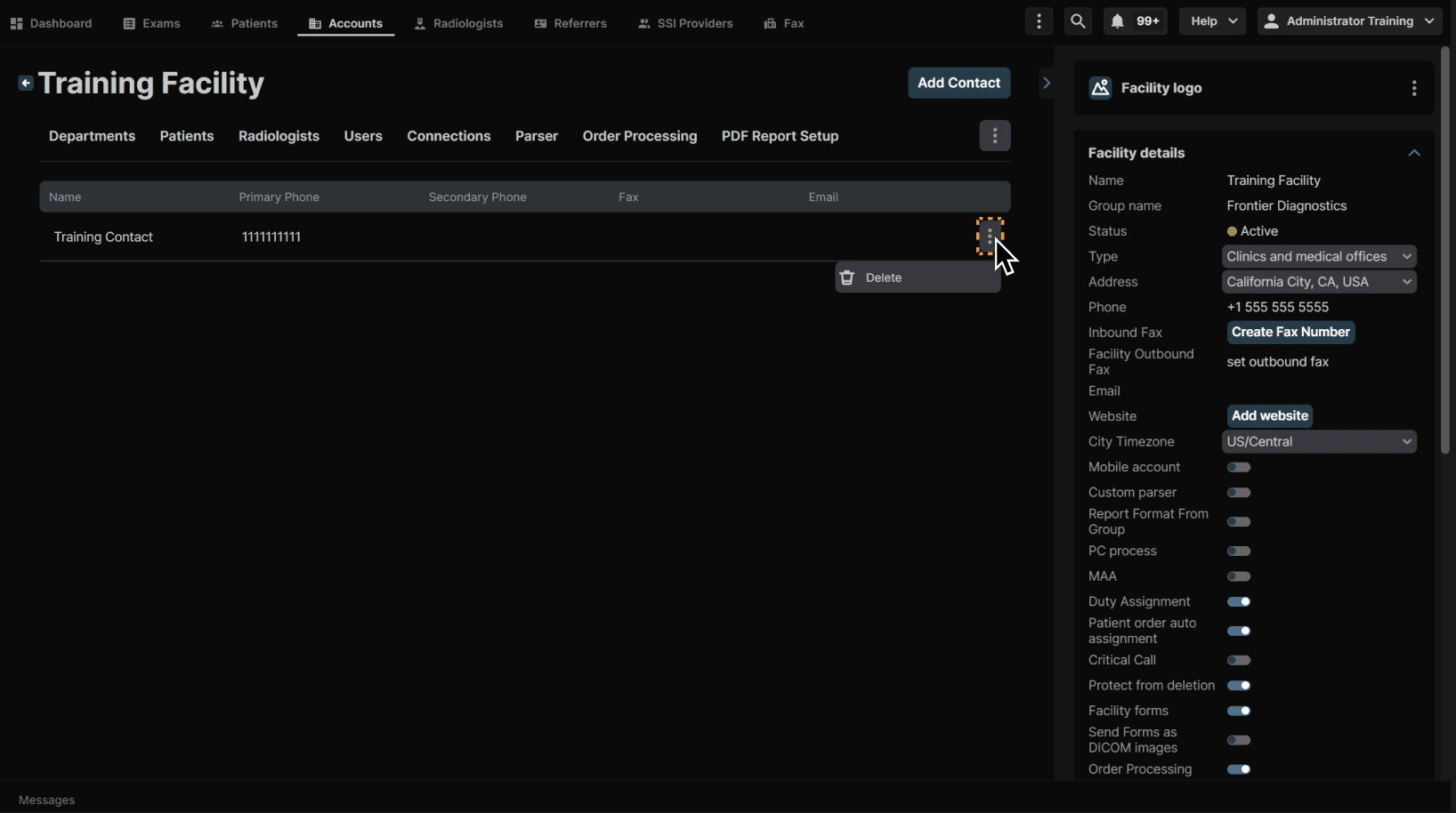
Use the 3 dot menu on any line item to delete the contact. | |
|---|---|
|
|

Click "Directory" once within a facility account. | |
|---|---|
|
|
Click "Add Contact." | |
|---|---|
|
|
Enter the contact name along with other applicable contact information. Click “Add Contact” when complete. | |
|---|---|
|
|
Use the 3 dot menu on any line item to delete the contact. | |
|---|---|
|
|