| In your profile, under the “Viewer” section, next to “Select viewer”, select “System Default.” | |
|---|---|
 |
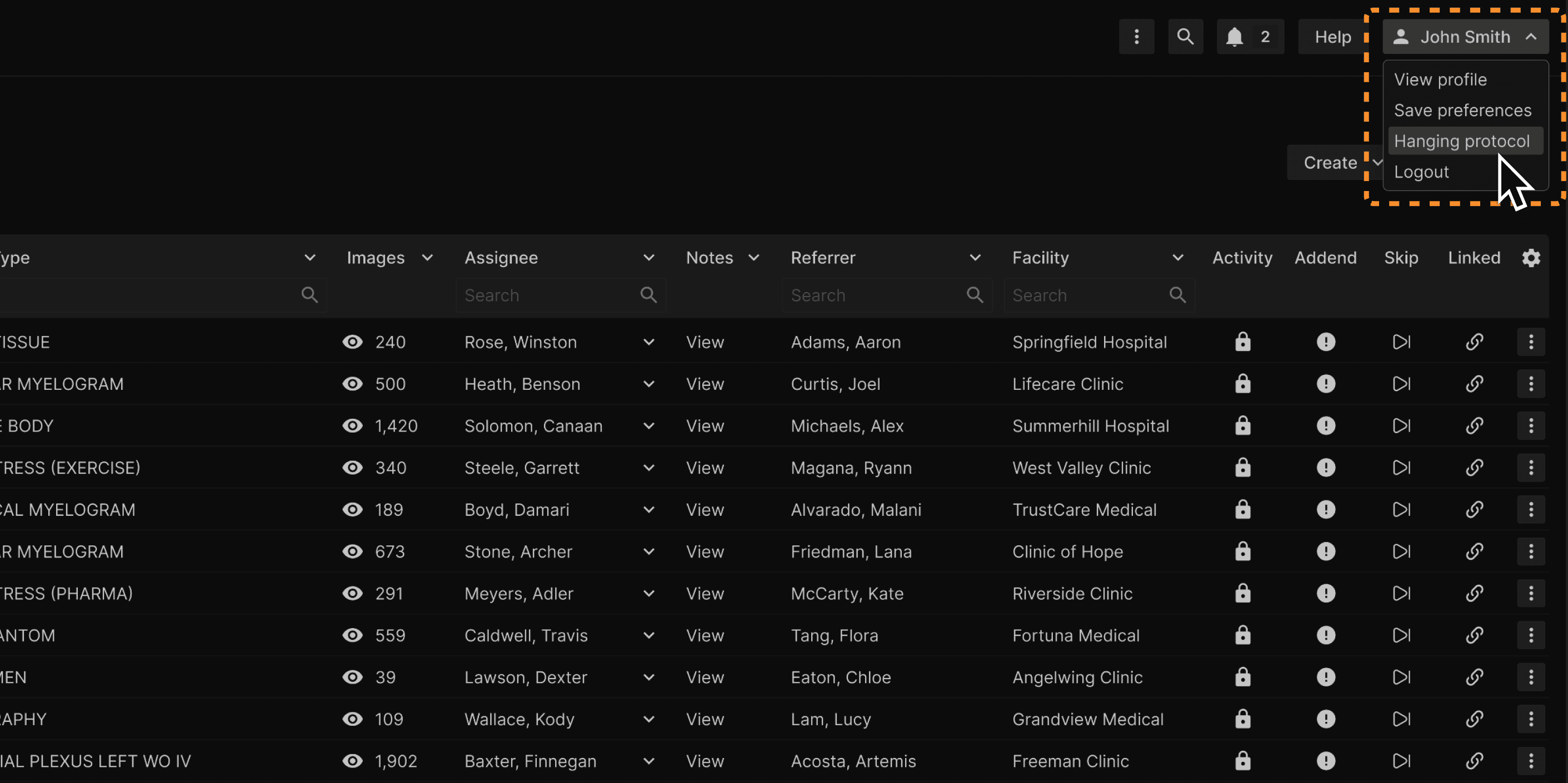
| Click on the “Hanging protocol” option as shown here. | |
|---|---|
 |
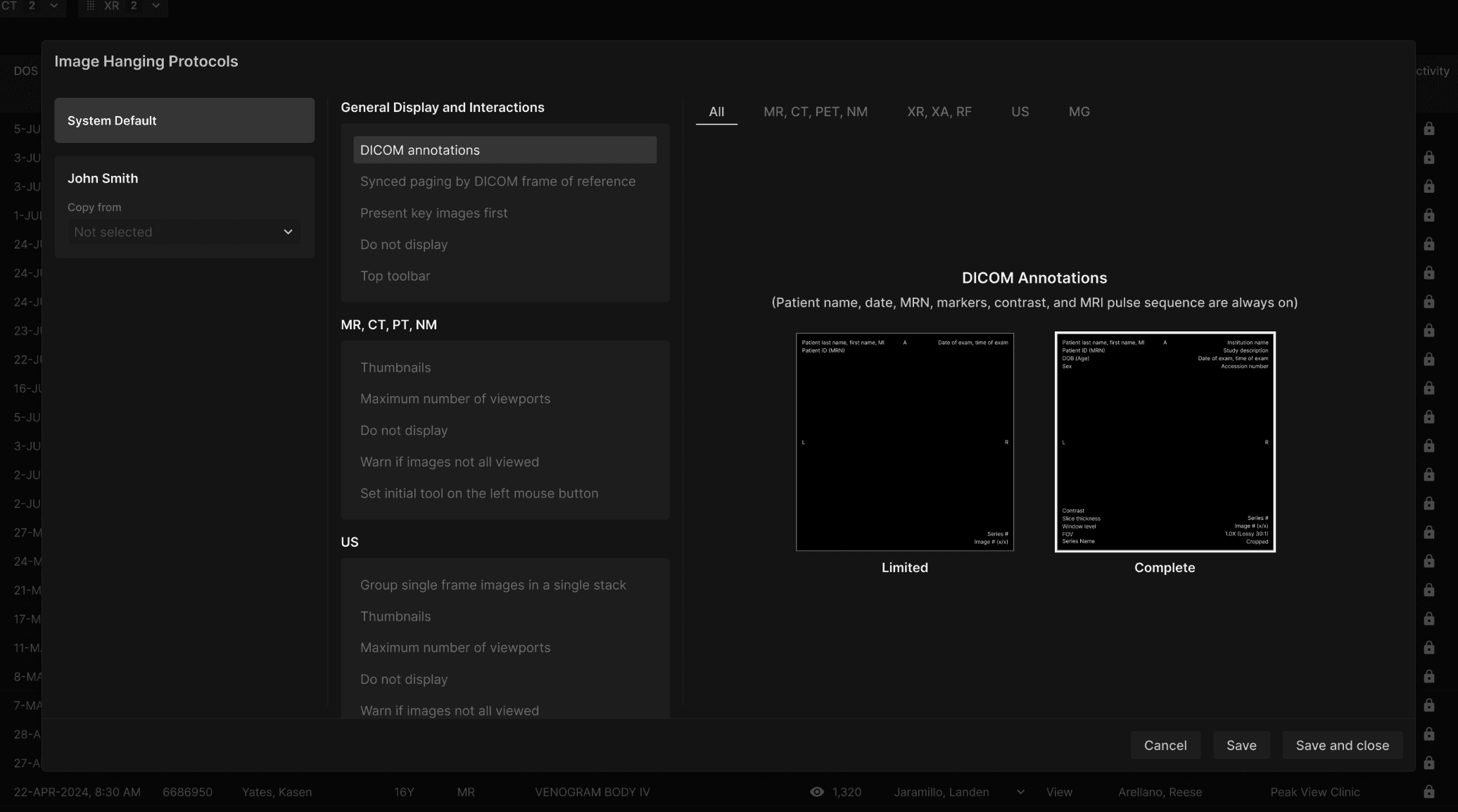
| The hanging protocol dialogue box will appear. | |
|---|---|
 |

| In your profile, under the “Viewer” section, next to “Select viewer”, select “System Default.” | |
|---|---|
|
| Click on the “Hanging protocol” option as shown here. | |
|---|---|
|
| The hanging protocol dialogue box will appear. | |
|---|---|
|